
POSTED BY Alexis C. Bricker
If you own a business in California, a recent change to how the Secretary of State handles business filings may materially affect your ability to meet statutory deadlines.
Here’s What Changed
Effective August 1, 2026, the California Secretary of State (“SOS”) changed its business filings process to become more secure. Previously, business filings could be completed online through any bizfile account, and certain filings were approved automatically.
Now, anyone filing on behalf of a business must first obtain “Full User Access” to that specific business entity. If you have a business entity registered in California, then this update applies to you and will likely create delays in your filing process.
Check Before You Toss
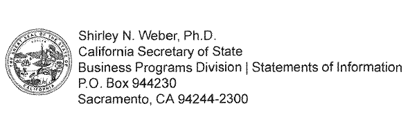
If you receive any correspondence from the California Secretary of State, do not discard it because it could contain important information pertaining to your business. Notifications from the Secretary of State can come in the form of an email from “no-reply@sos.ca.gov” or by mail from the address below:
Filing Deadlines Won’t Wait
Obtaining Full User Access can be a lengthy, complication-prone process that should not be left to the last minute. California business entities typically have either annual or biennial filing deadlines that must be met. Any delay in obtaining access puts good standing with the state at risk.
Getting Full User Access
There are two primary methods of obtaining Full User Access. The applicable method depends on how the entity is currently configured in the SOS system. Each method carries risks that can delay or prevent timely access.
Method 1: No bizfile Account on File
The filer must request a PIN from the SOS. The filer should log into their bizfile account, search for their business, then click “Request PIN”. The PIN is then mailed to the business entity's address of record.
Associated risks:
Misidentification as a scam. Individuals receiving mail at the business entity's address of record frequently assume that the letter containing the PIN is fraudulent and discard it.
Lost or unfulfilled requests. The SOS has been failing to process some PIN requests. As a result, clients may wait weeks for a PIN letter that never arrives.
Method 2: bizfile Account Already on File
The filer must request access from the individual who manages the existing account. The filer should log into their bizfile account, search for their business then click “Request Access”. This will send a request via email to the individual who manages the account.
Associated risks:
Unknown account manager. Many individuals do not know who manages their business entity's account. The account holder is often someone who filed a business filing online within the preceding two years, but this is not always the case.
Request misidentified as spam. The access request is delivered by email from a sender that may appear to be spam and is therefore frequently deleted or ignored.
No second attempt. Only one access request may be made per bizfile account. If the request is ignored, it cannot be resubmitted.
Limited recourse. You may call the SOS main line and submit a request with its special team to identify who maintains the account holding access. However, the SOS cannot compel an access request to go through (at this time).
Don’t Put All Your Access in One Inbox
When creating a new bizfile account, use a shared group email address (for example, “compliance@business.com”) rather than an individual employee's email address. Doing so avoids concentrating entity access with a single employee and ensures that pertinent notices from the SOS reach multiple individuals.
Helpful Resources
The CA Secretary of State has a step-by-step guide on how to create a bizfile account and request Full User Access: bizfile-online-account-setup.pdf
They also offer a short video on requesting Full User Access: https://youtu.be/WHTdwXI09EU
Need More Help?
If you remain unable to access your business entity, you can contact the Secretary of State by phone at (916) 653-6814 or by email at bizfile@sos.ca.gov. They may be able to give you additional information regarding your business entity.
